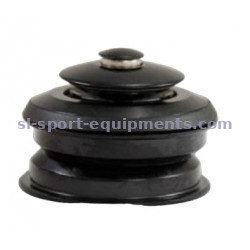
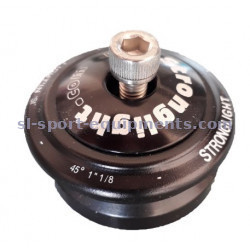
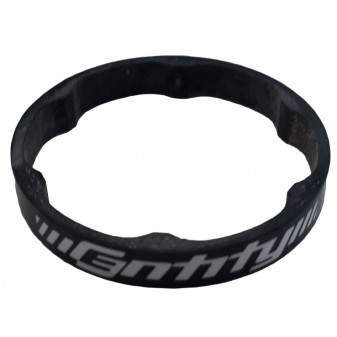
Hidden inside the fork steerer, the star nut/expander lets you correctly set the bearing preload before tightening the stem. Here's exactly what it does and how to fit it safely.
Browse our range of road bike headsets in stock.
1. What is a headset star nut/expander and what does it do?
The expander usually consists of two parts: a star nut (or a cone) inserted into the fork steerer, and a central bolt that passes through the stem's top cap and screws into that star nut. As you progressively tighten this bolt, it pulls the star nut upward, which preloads the headset bearings — in other words, it removes the play between the cups and the bearings, without over-tightening.
Worth clarifying: the star nut/expander does not hold the fork inside the frame. That role is handled by the headset itself and by the stem clamp gripping the steerer. The expander only acts beforehand, to set the preload.
2. The different types of star nuts/expanders
Classic star nut
The most common type: a metal star with fins that bite directly into the inner wall of the steerer when driven in. This works well on an aluminium or steel steerer.
Conical expander (carbon steerer)
On a carbon fork steerer, a classic finned star nut isn't recommended: it risks damaging the carbon fibre. Instead, a conical expander (or "compression plug") is used, which grips more gently and evenly.
"Pro" or reinforced expander
Some manufacturers offer "pro" expanders, built with tougher materials or a more reliable clamping system over time, designed to reduce the risk of the star nut spinning after heavy use or repeated disassembly.
3. How to choose your star nut/expander
- Your fork's steerer diameter (1" or 1"1/8);
- Your steerer's material: aluminium or steel (classic star nut) versus carbon (conical expander recommended);
- The bolt length, which needs to be long enough to pass through all the spacers used — see our article on the headset spacer.
4. How to fit a headset star nut/expander
- Insert the star nut or cone into the fork steerer, at the recommended depth.
- Position the stem and any spacers on the steerer.
- Progressively tighten the central bolt, regularly checking for play and any stiff spot.
- Align the stem with the front wheel, then tighten the stem clamp bolts to the specified torque.
5. My star nut is spinning or no longer bites into the steerer: what should I do?
This shows up as an inability to preload the headset: the bolt turns, but the star nut moves up with it instead of staying fixed. Possible causes:
- The star nut wasn't driven in deep enough or straight during the initial fitting;
- The steerer has been slightly damaged by repeated fittings/removals;
- The wrong type of expander was used for the steerer material.
The usual fix is to replace the expander with a new one, ideally a conical type if the steerer is carbon. If play persists, the steerer or bearings may need a closer inspection — see our headset diagnosis guide.